ottobre 1988
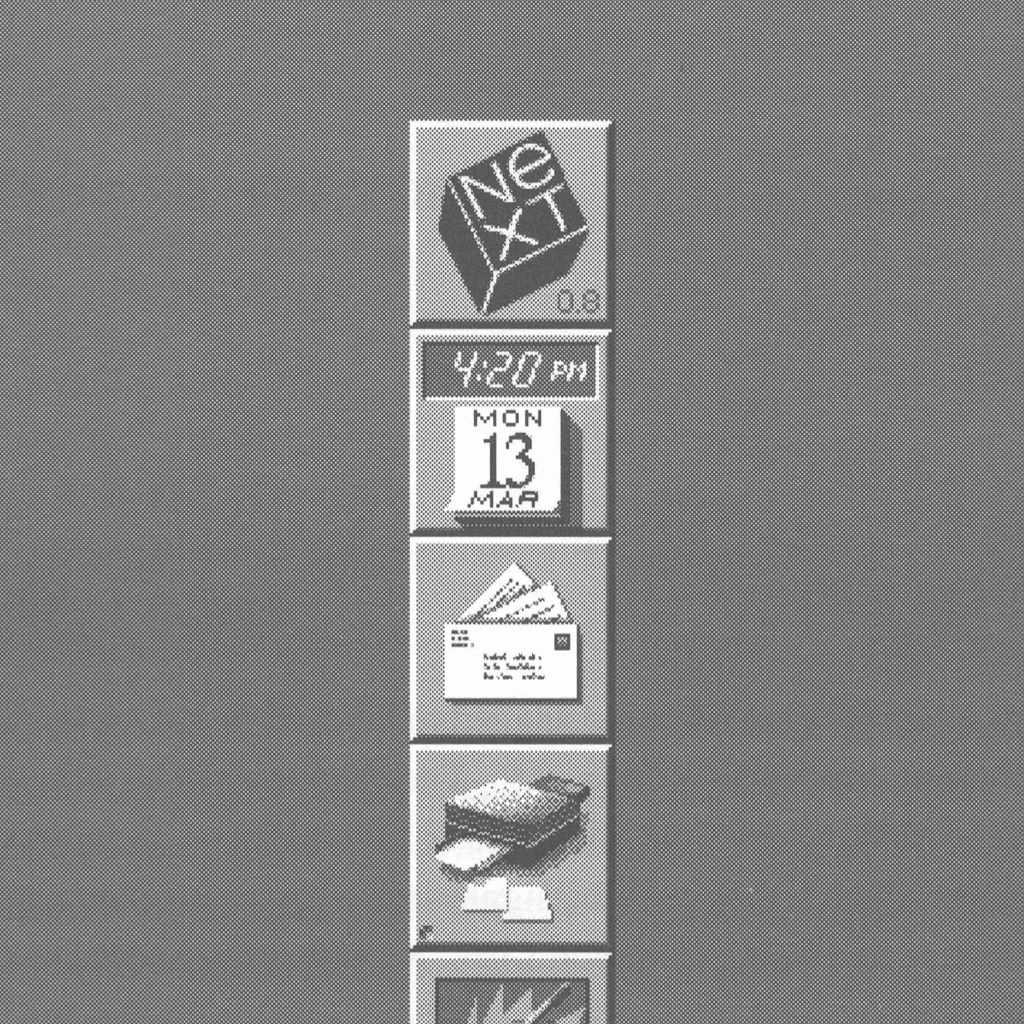
Il Dock di NeXTSTEP
Nel 1988 NeXT, Inc. pubblicò NeXTSTEP 0.8, che conteneva la prima versione del Dock. Ecco come Steve Jobs presentò il Dock al mondo:
«Il Dock — Quando si eseguono delle applicazioni, può capitare di perdere di vista alcuni elementi. Queste icone possono essere nascoste, mentre magari si desidera leggere la posta in qualsiasi momento. Per questo permettiamo di prendere qualsiasi icona e trascinarla in una di queste posizioni del Dock, dove scatterà in posizione e si ancorerà. Dal momento in cui è ancorata, nulla può sovrapporsi. È quindi un posto dove avere sempre a portata di mano le applicazioni che si usano. È possibile personalizzarlo come si vuole e nulla impedirà mai di avere questi elementi a portata di sguardo. Questo è il senso del Dock.»
Steve Jobs, Davies Symphony Hall, San Francisco, 12 ottobre 1988
gennaio 2000
Mac OS X Developer Preview 3
Steve Jobs mostrò per la prima volta l'interfaccia Aqua il 5 gennaio 2000, alla conferenza Macworld 2000. In quell'occasione presentò per la prima volta le animazioni di riduzione a icona e ingrandimento delle finestre. Fu la prima ricomparsa del Dock di NeXTSTEP in una versione di Mac OS X, distribuita come Mac OS X Developer Preview 3.
settembre 2000
Il Dock della beta pubblica di Mac OS X
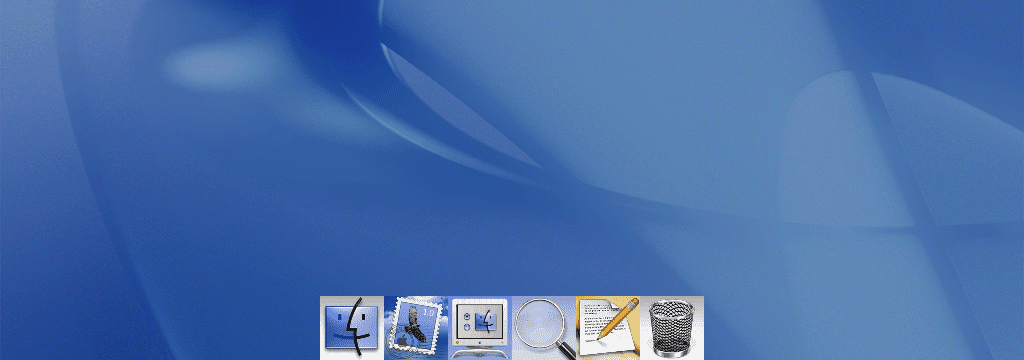
All'Apple Expo 2000, durante il keynote del 13 settembre, Steve Jobs presentò la beta pubblica di Mac OS X insieme a un Dock più rifinito. Il pubblico rimase colpito dalla funzione di ingrandimento, probabilmente più una dimostrazione della fluidità grafica della nuova interfaccia Aqua che altro.
Il Dock della beta pubblica era una striscia piatta, bianca e traslucida, con le sottili righe tipiche del primo stile Aqua. I critici ne notarono subito i difetti iniziali: poiché il Dock è centrato, aggiungere o rimuovere un'icona sposta la posizione di tutte le altre.
marzo 2001
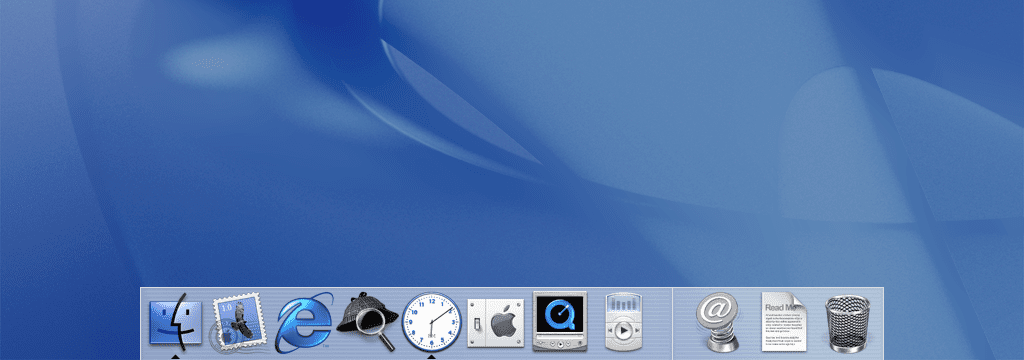
Mac OS X 10.0 Cheetah — il debutto del Dock
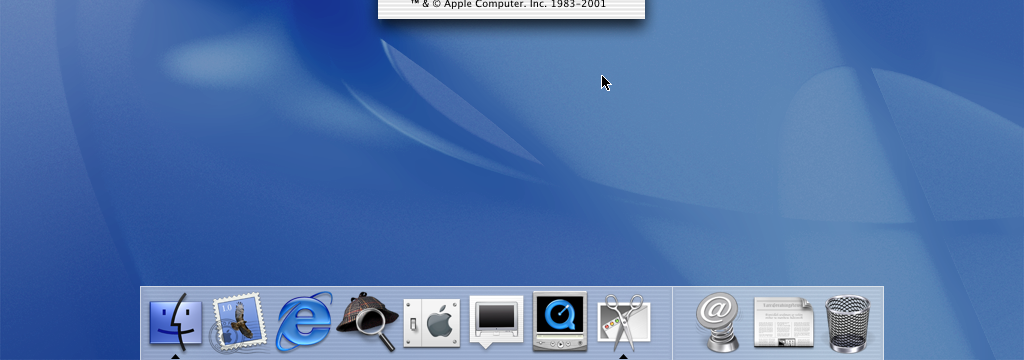
Con Mac OS X 10.0, il Dock raggiunse tutti gli utenti Mac. Riuniva il Dock e lo Shelf di NeXT in un'unica striscia: permetteva di avviare e cambiare app, ospitava le finestre ridotte a icona — con il celebre effetto genio — e offriva a file e cartelle una posizione fissa all'estremità destra.
Il design conservava l'aspetto Aqua scanalato e a righe sottili dell'epoca. Le recensioni furono divise in egual misura tra entusiasmo e scetticismo; John Siracusa di Ars Technica sostenne notoriamente che il Dock svolgesse troppe funzioni contemporaneamente per offrire la massima facilità d'uso. Con Jaguar, Panther e Tiger, le righe svanirono gradualmente lasciando il posto a una striscia traslucida più semplice, ma la formula rimase invariata.
ottobre 2007
Il ripiano di vetro 3D di Leopard
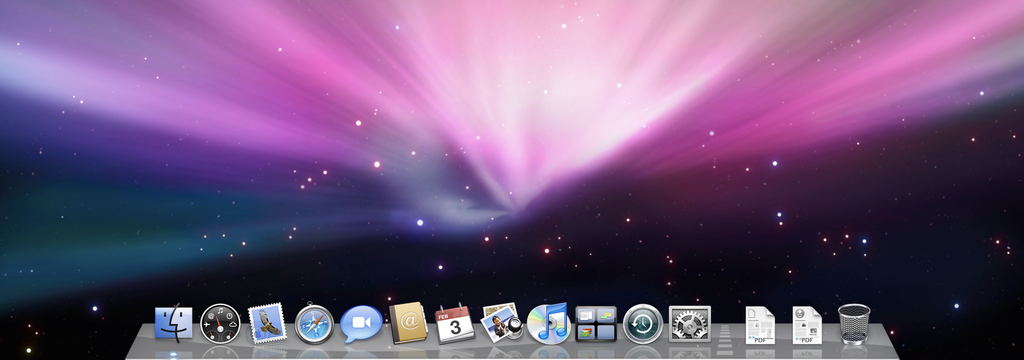
Mac OS X 10.5 Leopard diede al Dock il restyling più radicale mai visto fino ad allora: un ripiano di vetro tridimensionale e riflettente. Le icone sembravano poggiare su una mensola, proiettando riflessi e ombre, e arrivarono le pile, che permettevano di aprire a ventaglio il contenuto delle cartelle.
Gli effetti visivi divisero il pubblico. I critici contestarono i riflessi, i tenui indicatori blu delle app in esecuzione e la maggiore difficoltà nel distinguere i file — un compromesso che sacrificava l'usabilità all'estetica. Il ripiano 3D sopravvisse comunque in Snow Leopard, Lion, Mountain Lion e Mavericks, acquisendo nel tempo un effetto vetro satinato e un supporto migliore per più monitor.
ottobre 2014
Yosemite diventa piatto
OS X 10.10 Yosemite segnò la più grande riprogettazione visiva degli ultimi anni, con il Dock in prima linea: il ripiano 3D venne abbandonato a favore di un pannello piatto, semplificato e bidimensionale, in linea con il linguaggio visivo di iOS 7. Yosemite introdusse anche un'opzione per il Dock in modalità scura — anni prima che il resto del sistema facesse lo stesso con Mojave.

novembre 2020
Big Sur si libra
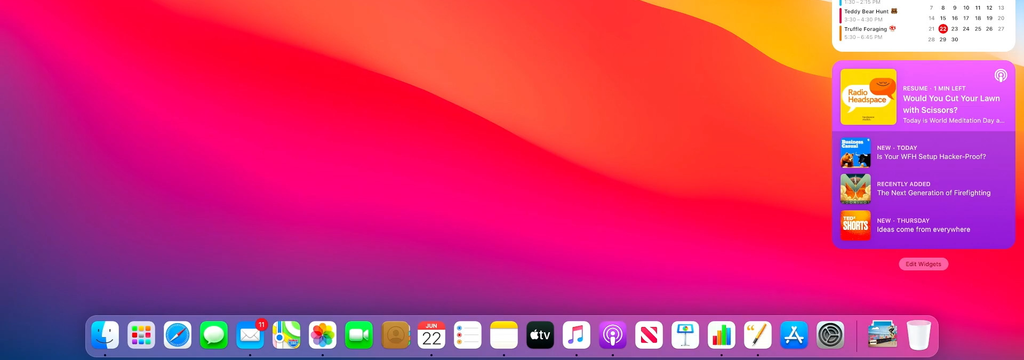
macOS 11 Big Sur portò quello che Apple definì «il più grande aggiornamento del design dall'introduzione di Mac OS X». Il Dock si staccò dal bordo inferiore dello schermo, fluttuando con gli angoli arrotondati, e ogni icona delle app venne ridisegnata come un quadrato arrotondato in stile iOS. Mac e iPad non si erano mai assomigliati tanto.
settembre 2025
Tahoe e Liquid Glass
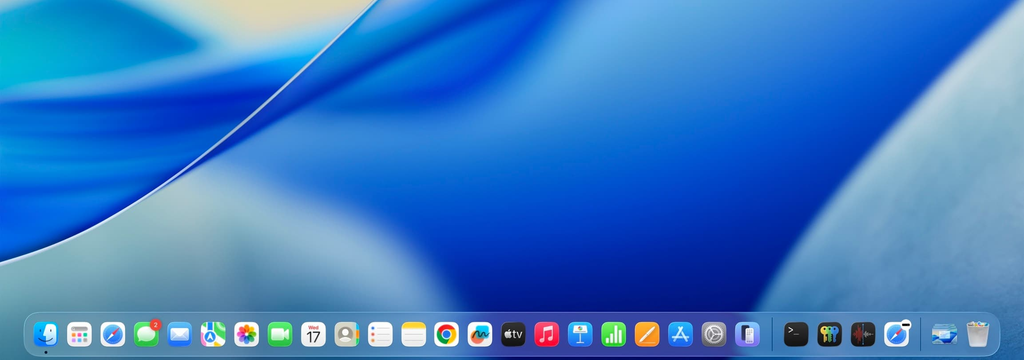
Con macOS 26 Tahoe, il Dock adottò il linguaggio visivo Liquid Glass di Apple — un aspetto più vitreo e traslucido che rifrange la Scrivania alle sue spalle. Trentasette anni dopo che Steve Jobs inserì per la prima volta un'icona al suo posto su un cubo NeXT, il Dock conserva ancora la stessa idea di fondo: le tue app, sempre a portata di sguardo.